
Half Speed for Hard Bars
Drag the speed from 50% to 150% while it plays. Our Silent Night sheet music to sound sample lasts 18 seconds at full speed; at 60% it takes half a minute, slow enough to sing along.
Upload a PDF or photo of your part, press play, and slow it to half speed until you can sing or play every bar.
Your sheet music to sound result, with a piano roll that follows
When sheet music to sound is done, press play and a piano roll lights each note as it sounds, next to the score read from your page.
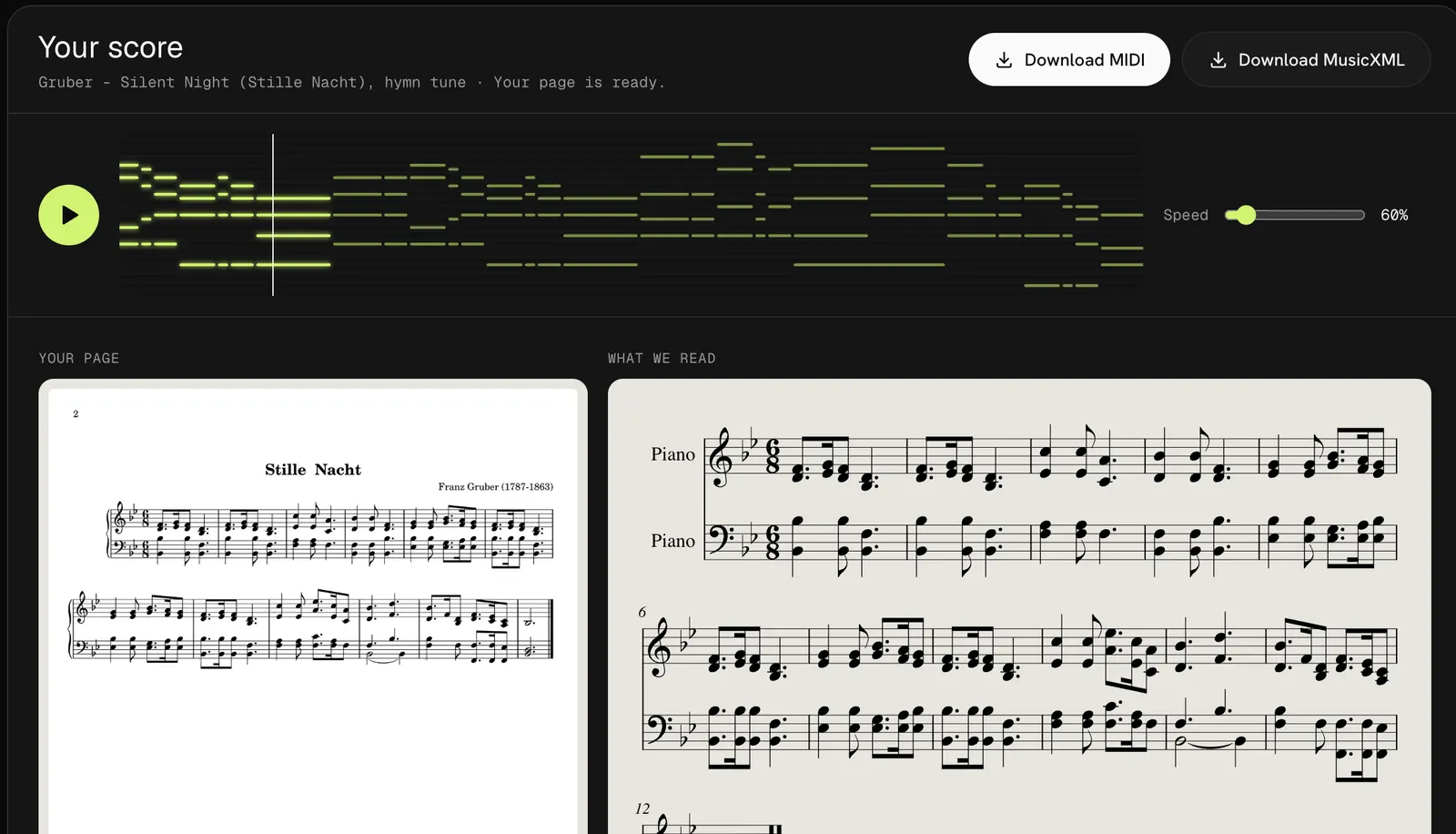
Drag the speed from 50% to 150% while it plays. Our Silent Night sheet music to sound sample lasts 18 seconds at full speed; at 60% it takes half a minute, slow enough to sing along.
Sheet music to sound plays all four voices of a hymn or both hands of a piano piece at once, so you hear the harmony around your line instead of a lone melody.
There is no MP3 button yet. Download the MIDI and open it in GarageBand or any DAW to export audio, mute a hand or pick another instrument.
No app and no plug-in. Turning sheet music to sound takes three steps in any current browser.
Drop a PDF of up to 20 pages or a photo of up to 10 MB. On a phone, tap the box to scan sheet music right on your stand.
Press Convert. Sheet music to sound takes about 20 seconds a page, then the score and the piano roll appear together.
Set the speed and listen until the tune is in your ear. Download the MIDI if you want it offline.
It runs the same reader as our sheet music to MIDI converter, so clear printed notation sounds the most like the page.
Use sheet music to sound to hear a new anthem or hymn before rehearsal, and slow it until the intervals feel safe. Hymnals and choir copies with four parts on two staves read best.
Set sheet music to sound to 70% to hear how the rhythm should go before your hands learn a mistake. Lesson-book pages and clean PDFs convert well.
Turn sheet music to audio for a student to practice with, or check a part you have never heard. For a backing file, export the MIDI as MP3 in a DAW.
Four things from our sheet music to sound tests that change what you hear.
At 100% the sheet music to sound player runs at 120 beats a minute, often brisker than the composer meant. Start around 60% to 70% and raise it as the part settles.
A Schumann piece with triplets in both hands came back from sheet music to sound with the right notes but uneven bars. If a bar sounds rushed or late, check it against the page.
The player follows the page from top to bottom and does not jump back at repeat signs, so press play again for the second verse.
The sheet music to sound player always plays every part. To hear only your line, open the MusicXML in MuseScore or another notation app and mute the other voices.
FAQ
Your first 3 pages are free when you sign up, and the Silent Night sample plays without an account. After that a page is one credit, about 20 to 33 cents with credit packs.
Yes. Sheet music to sound runs in the browser on a computer, tablet or phone. On an iPhone, flip off silent mode first, since it can mute sound from web pages.
Not directly yet. Download the MIDI, open it in GarageBand, Logic or another DAW, then export the song as MP3 or WAV with the instrument you like.
Sheet music to sound uses a soft piano for every part. To hear strings, organ or a choir pad, load the MIDI in a DAW or notation app and assign another instrument.
Yes, up to 20 pages per PDF. The pages are joined in order and play as one piece; our PDF to MIDI page shows a 3-page sonatina that came out as one file.
Not on this site. Open the MusicXML in MuseScore or Sibelius, fix the note and play it there; our PDF to MusicXML page lists what the file keeps.
Drop a page, press play and hear your sheet music to sound result in about a minute. Your first 3 pages are free, and the sample needs no account.
Hear my sheet music